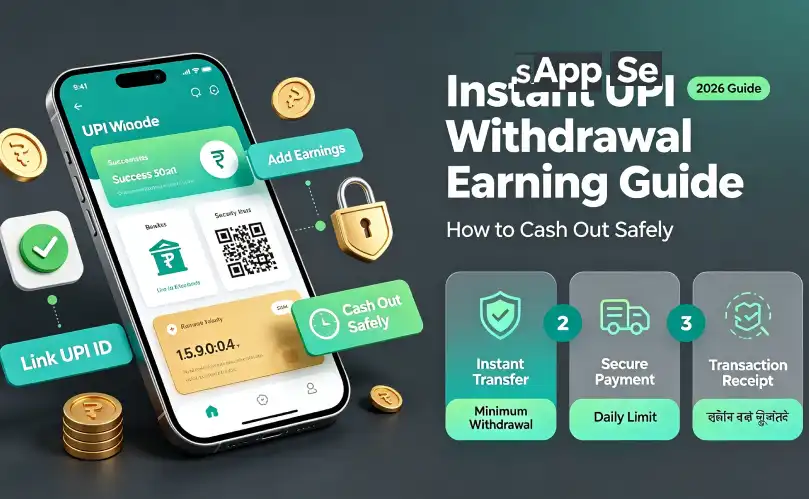
When you earn pocket money from a mobile app, you want your cash safely in your bank account—not stuck in a virtual wallet. Thanks to UPI (Unified Payments Interface), genuine earning apps can send your rewards straight to your bank in seconds using PhonePe, Google Pay (GPay), Paytm, or BHIM.
Best of all, you do not need to share your bank account number, IFSC code, or debit card details. Your public UPI ID works like a safe email address for money. (18+ & Safety Note: This guide is strictly for adults aged 18 and older for educational awareness. We never promote or link to deposit-based betting or gambling apps.)
Step-by-Step: How to Withdraw Earnings to UPI Safely
Follow these four simple steps to cash out your app rewards without making mistakes:
-
Find Your Public UPI ID (VPA): Open PhonePe, GPay, Paytm, or BHIM and tap your profile photo at the top corner. Copy your UPI ID—it looks like an email address, such as rahul@oksbi, 9876543210@ybl, or priya@paytm.
-
Reach the Minimum Cashout Limit: Check the wallet section inside your earning app to see the minimum payout rule. Most beginner-friendly utilities let you cash out once you earn ₹10 to ₹100.
-
Paste Your UPI ID and Check Every Letter: Paste your copied UPI ID into the app’s withdrawal box. Double-check the spelling and the bank handle after the @ symbol before tapping submit.
-
Tap Withdraw and Check Your Bank SMS: Once you confirm, instant UPI payouts usually arrive within 10 seconds to 5 minutes. Open your UPI app’s transaction history or check your bank SMS alert to confirm the deposit.
Smart Habit: Always Test New Apps With a Small Payout First
Never spend weeks grinding inside a new app just to reach a ₹1,000 payout limit. Fake apps love high limits because most users give up before finding out the app never pays.
Instead, smart Indian users look for a minimum 10 rupees UPI withdrawal app or a low ₹50–₹100 cashout option. Testing a small payout on Day 1 proves two things right away:
For example, during our tests, Taurus App stood out as a practical zero-deposit utility because new users can test a low ₹10 initial payout (and ₹100 standard cashouts) straight to UPI after completing simple app discovery tasks—with no PAN card or Demat KYC required. Similarly, low-threshold utilities like Playvers App (for casual game trials), Task Joy App (for quick daily check-ins), and LootCash H5 (for no-download browser tasks) also let you verify small UPI payouts without locking up your earnings behind high ₹500 limits.
If you want to explore more verified platforms with low cashout thresholds, check our full list of earning apps without investment and our daily routine for daily 100 rupees earning apps.
UPI Withdrawal Timelines & Limits (Simple Reference Table)
Different earning platforms use different payout methods. Use this table to know what to expect before you start:
| Payout Method |
Typical Minimum Limit |
Transfer Speed |
Documents Needed |
| Instant UPI (PhonePe / GPay / Paytm) |
₹10 – ₹100 |
10 Seconds – 15 Minutes |
Public UPI ID Only (No PAN) |
| Standard UPI / IMPS Bank Transfer |
₹100 – ₹250 |
1 – 24 Hours |
UPI ID or Bank Account + IFSC |
| Affiliate / Reselling Bank Payout (NEFT) |
₹100 – ₹500 |
2 – 5 Working Days |
Bank Details + Basic KYC |
| Google Play Gift Code |
₹10 – ₹50 |
Instant (Email / In-App) |
Email ID Only (Play Store Use Only) |
Why Is My UPI Withdrawal “Pending”? (4 Easy Fixes)
Sometimes you tap withdraw, and the status says Pending or Processing instead of Success. Do not panic—most delays happen for four simple reasons:
-
Wrong UPI Handle After the @ Symbol: Many users type @okicici by mistake when their real GPay ID ends with @oksbi or @okhdfcbank. Always copy-paste directly from your UPI app instead of typing from memory.
-
Late-Night Bank Server Maintenance: Indian banks and NPCI servers often run system updates between 11:30 PM and 1:00 AM. If you withdraw late at night, your money usually arrives automatically the next morning.
-
Task & Browser Verification Delay (24-Hour Check): If you earned money by installing a partner app (on utilities like Taurus, Playvers, or Task Joy) or completing web tasks on a browser portal like LootCash H5, the system may take up to 24 hours to confirm your task tracking was genuine before releasing the UPI payout.
-
Inactive or Unlinked Bank Account: If you changed your SIM card or closed the bank account linked to your old UPI ID, the transfer will fail and bounce back to your app wallet within 48 hours. Link an active bank account in PhonePe or GPay and try again.
4 Fake Withdrawal Traps to Avoid (Red Flags)
Scammers target beginners who are eager to cash out their first ₹100. Protect your bank balance by avoiding these four traps:
-
“Pay ₹99 Tax or Activation Fee to Unlock Your Payout”:Never pay money to withdraw your own earnings. Genuine apps deduct any small processing fee directly from your wallet balance—they never ask you to send money from your bank first.
-
Asking for Your Secret UPI PIN to “Receive” Money: Remember this golden rule: Your 4-digit or 6-digit UPI PIN is ONLY for sending money, NEVER for receiving money. If a fake app or caller sends a payment request asking for your PIN to credit ₹500, cancel it immediately.
-
Moving the Goalpost (₹99 Stuck Forever): Some fake Play Store games let you reach ₹99 in five minutes, then drop rewards to ₹0.01 per ad so you can never reach the ₹100 cashout button. Uninstall these apps right away.
-
Fake “Support Agents” Asking for Screen-Sharing Apps: Never install AnyDesk, TeamViewer, or RustDesk if someone on Telegram or WhatsApp claims they need to “fix your pending withdrawal.” Scammers use these apps to read your bank SMS OTPs.
Short FAQ & Closing Takeaway
Do I need a PAN card or Aadhaar KYC for ₹100 UPI payouts?
No. For small task utilities and UPI withdrawal earning apps without investment, you only need a valid UPI ID linked to your active bank account. PAN or Aadhaar KYC is usually only required on stock-market apps or when high affiliate earnings cross Indian tax thresholds.
Is sharing my public UPI ID safe?
Yes, sharing your public UPI ID (like name@ybl or name@oksbi) is completely safe for receiving money. Nobody can withdraw money from your bank account just by knowing your UPI ID, as long as you never approve unknown collect requests or share your UPI PIN.
Which UPI app is best for receiving rewards?
PhonePe, Google Pay (GPay), Paytm, and the official BHIM app all work equally well because they run on the same NPCI UPI network. Choose whichever app is linked to your primary active bank account.
How can I find more genuine zero-deposit earning apps?
Stick to tested utilities that require ₹0 upfront deposit and offer clear UPI payout rules. You can explore more verified options in our guides on mobile se paise kaise kamaye and refer and earn apps without KYC.
Closing Takeaway
Cashing out your pocket money via UPI is fast, free, and safe when you follow basic rules. Always copy-paste your UPI ID carefully, test new apps with a small ₹10 or ₹100 withdrawal first, and walk away from any platform that asks for upfront fees or your secret UPI PIN.